New workflow
Map the current process, design the logic, build the flow and hand over something your team can operate.
See the service ->
Microsoft 365 & Power Automate workflow delivery
KRISS helps operations teams replace approval chasing, repeated data entry and invisible follow-ups with clear, maintainable workflows built around Microsoft 365.
Built around the tools your team already uses
The operating problem
Delay is often the visible symptom. The deeper cost is unclear ownership, duplicated effort, late escalation and decisions that are difficult to reconstruct.
What KRISS delivers
We start with the operating problem, then choose the simplest reliable technology that solves it.
Map the current process, design the logic, build the flow and hand over something your team can operate.
See the service ->Find broken logic, permission issues, missed notifications, duplicate steps and unreliable exception paths.
Improve a workflow ->Give owners, approvers and managers a shared view of status, blockers and next action.
Explore solutions ->Document ownership, monitoring, maintenance and what should happen when the workflow fails.
See how we work ->Experience
Selected work across approval control, ownership, exception handling, onboarding and follow-up.
The real problem was not the request. It was the missing decision trail.
Read the story ->When nobody can see the next owner, a simple request becomes a coordination problem.
Read the story ->The gap between submission and response is where commercial momentum can disappear.
Read the story ->Requests, evidence and approvals became a findable decision record.
See the logic →Requesters and procurement gained a shared view of status and next owner.
See the logic →Incoming enquiries became assigned records with a next action.
See the logic →Free working tool
Use our Workflow Failure Diagnostic to score one process, identify the highest-risk handoff and leave with a one-page repair brief for your team.
Get the Workflow Diagnostic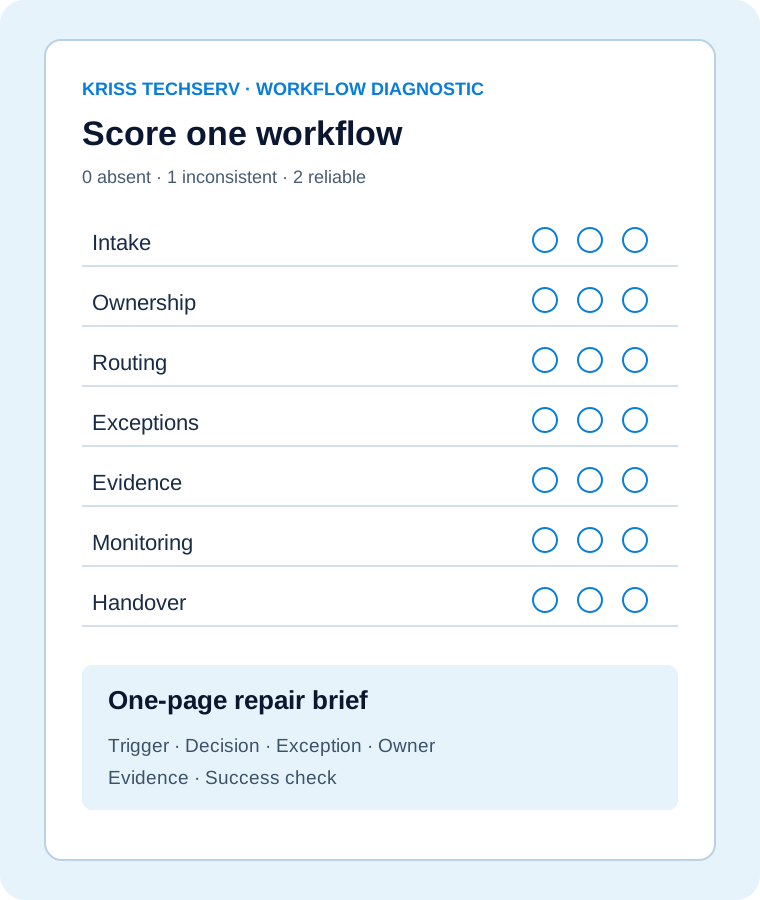
How we work
We understand the trigger, owner, decision, source of truth and exception before building the workflow.
Production readiness
Every workflow needs an owner, a source of truth, a failure path, test evidence and a handover plan. Those details determine whether it remains useful after deployment.
A focused first step
Tell us what currently depends on emails, spreadsheets or repeated follow-ups. We will review the process and suggest the most useful next step.
We respond within one business day. You can also email us directly or Book a Workflow Review.
What teams noticed
“Before this, we were piecing together the status of a credit memo from emails. Having the request, supporting information and decision in one place made it much easier to follow through.”
“The useful change was knowing who had the purchase request and what needed to happen next. We no longer had to rely on someone chasing the right inbox for an update.”
“Enquiries were reaching us, but the handoff after that was inconsistent. Turning each one into an assigned record gave the team a clearer way to manage follow-up.”